

How it works
Three ways in, four main steps.
How LSW Desk Session Creator, by LSW – Live Sound World, takes you from a rider or a showfile to a session for your mixing desk.
Three ways in.
- 1
From a rider
Load the rider, choose the target desk and the stage boxes you will find at the desk, and the app builds the lists.
- 2
From another desk’s showfile
Its channel list becomes the new session’s. Choose what to keep.
- 3
Convert a showfile
The app reads the show; you choose the target desk and boxes.
Four main steps.
The ones that need you, before the session reaches the desk.
Review
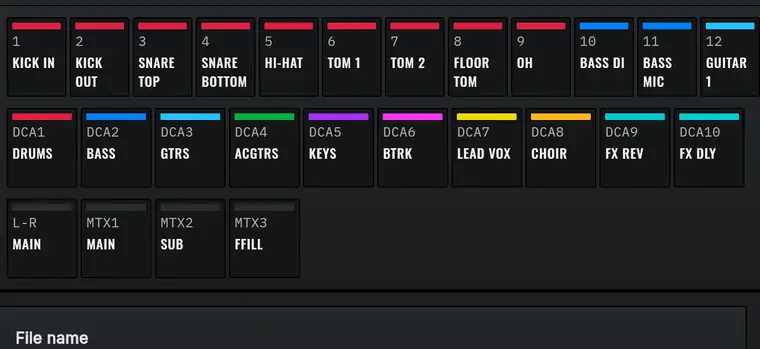
Correct names, families, colours (from the target desk’s own palette), musicians and instruments. Select several channels to edit them together; Undo goes back 50 steps.
I/O check
The app compares what the session needs with what the desk and the boxes give. It warns and offers one-tap fixes. It never blocks you.
Check
Read the free report and approve the patch.
Get
Download the session for the target desk: that is when a conversion is used. Viewing the report and the PDF parameter sheet uses none.
Only what is used goes across.
Channels and buses left at their defaults stay at the defaults on the target desk, patched in order to the free inputs and outputs of the boxes.
What we keep.
Your files live on our server for 24 hours at most. “Don’t keep” deletes each file after your first successful download. You can delete them at any time in My Files.
Questions
Where does the conversion run?
On our server in the EU. The app and the website are only the interface. You need internet to convert.
What happens to my files?
They stay on the server for 24 hours at most. With “Don’t keep”, each file is deleted after your first successful download. You can delete them at any time in My Files. If you choose to send the session your desk saved, to help us improve the app, we ask for your consent first and keep it for 30 days.
Why did some channels not come across?
Only the channels and buses that are used go across. The rest stay at the target desk’s defaults. The report says how many.
Why does my effect not look the same?
Effects go by type, at the desk’s own settings: set their parameters on the desk. Only Hall, Plate, stereo delay, mono delay and Chorus go across. The PDF lists what did not.
Can I use the mobile apps?
Yes, they are free with any LSW account. They show reports, sheets, history and your files. Android converts when your account already has conversions available. On iPhone, the app comes through Apple's TestFlight, for those with access. There is nothing to buy inside the mobile apps.
Can I trust a session without checking it?
No. First, test and review it in an offline editor from the manufacturer that is compatible with your desk’s software version. Then, on the desk: save a copy of the show that is on it, load the session with the outputs muted and the PA turned down, and check the 48V, levels and patch before you bring up the sound. A session with errors may, for example, switch on 48V on a channel, send high levels to the speakers or the in-ears, or swap the patch.
Which languages?
English and Portuguese. Spanish, French and German read English in the app for now.
Contact
support@livesoundworld.com. We usually reply within 2 working days.